Brevity
made by v0 by Vercel
v0 site
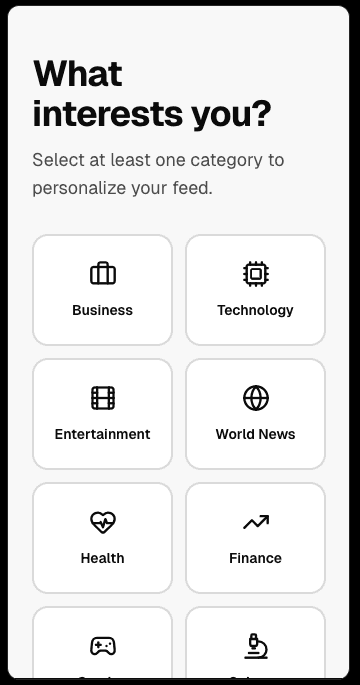
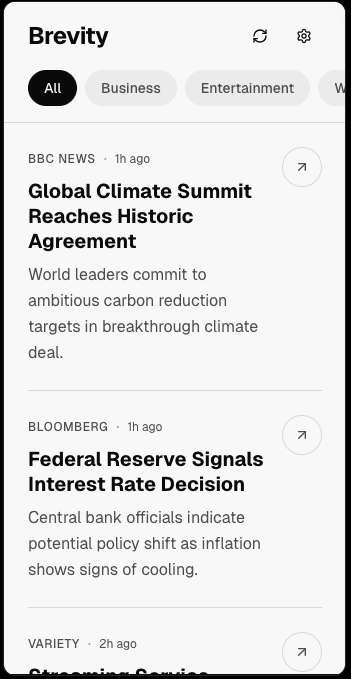
INITIAL OUTPUT
Starting prompt initial output

ITERATION PROMPTS
Solid skeleton, refining the details
v0_iteration_01.txt
add a navigation bar and add a trending and a user profile. Add the option to upvote articles, a save button for later that can be found in the user profile page, and a share button. Add a commenting system where users can view and participate in discussions without needing to scroll through the full article. The trending page should high light top rated articles based on user activity.
navigation barshare / save / upvotecommenting systemtrending articles

v0_iteration_02.txt
when an article is selected, first present a summary view (modal preferred) with key points before allowing them to navigate to the full article. improve terminology to ensure all labels are neutral, clear, and aligned with user expectations. add a visual indicator showing whether a user has already read an article
summary modalkey pointsimprove terminology


v0_iteration_03.txt
make the exit from the modal and the button to redirect to article separated, they're too close right now. adjust the profile page so it fits within the mobile application frame. also adjust when user is in the modal, that the modal scrolls and not the page behind, the comments should be a visible option or can be seen on the modal / scroll in the modal. Fix the indicator for articles the user has already selected / read, there isn't one or the purple highlight is not sticking to the articles the user has already clicked on
exit pathadjustmentsfix indicatorfix comments modal


v0_iteration_04.txt and v0_iteration_05.txt
make the article pop up within the modal or at least within the app, not an external page
In the modal, have bullet points summarizing the main idea and important information about the article. Add somewhere they can expand and have information about important figures (like who is who, i.e. President of the United States: Donald Trump)
article pop up internalbullet pointskey figures

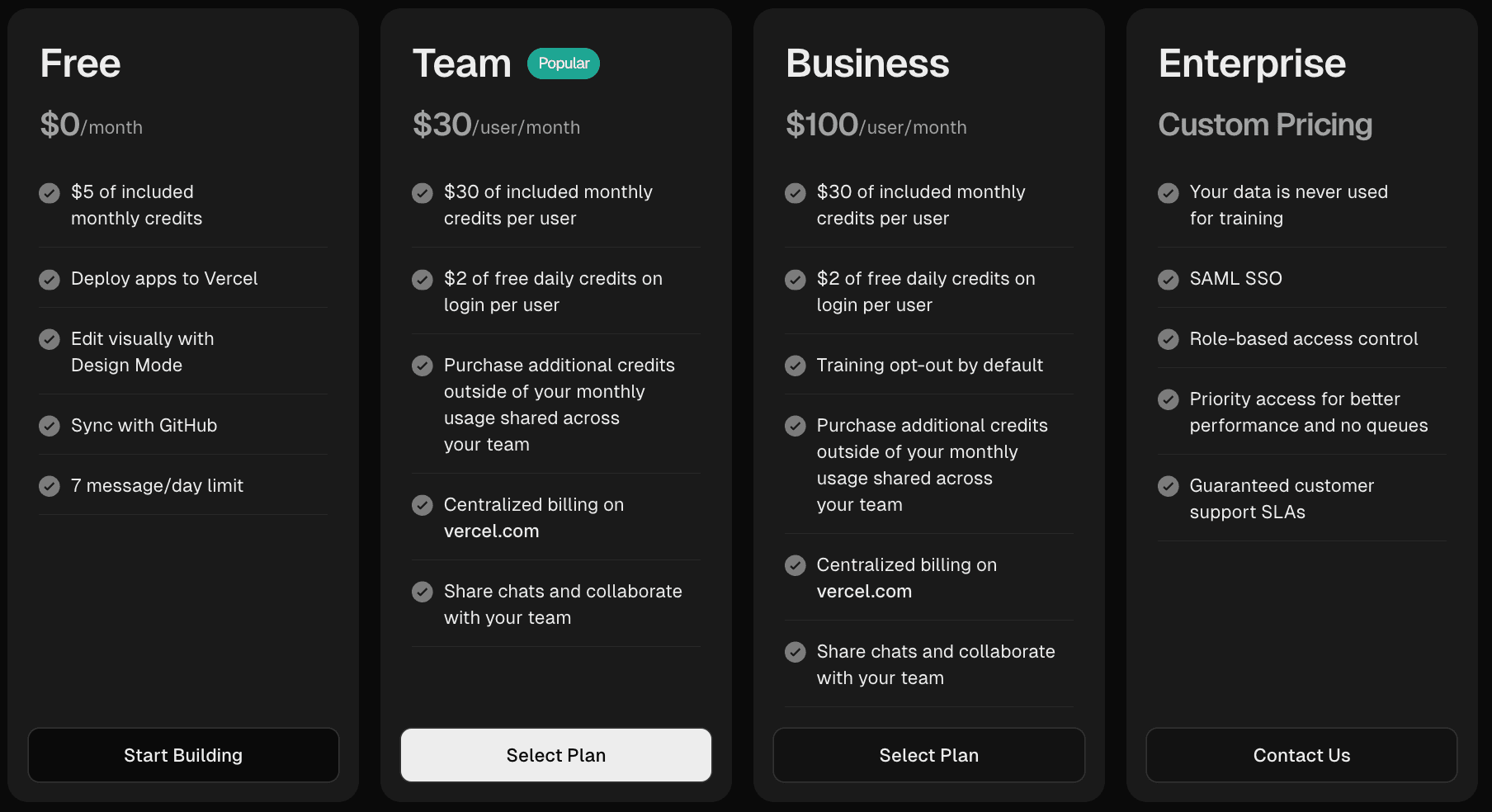
PRICING
v0 free tier and more
SCORECARD
How v0 did
Dimension
Rating
Assessment
01
Output Quality
Minimalistic initial output, need to be prompted for details, decent overall output
02
Ease of Use
Easy to use, great for beginners, bonus for the option between web view and mobile view, labels iteration versions to keep organized
03
Iteration Handling
Good on additive changes, needed precise language for fixes especially for the details
04
Free Tier Limits
Limited amount of prompts, takes a bit of time in between iterations
| Heuristic | Score | Notes — v0 by Vercel | |
|---|---|---|---|
| 01 | Visual consistency Does the design system hold up across screens — colors, type, spacing, and components? | ◑ Partial | Clean and minimal but leaned web-first. Consistency held on desktop view - less so when viewed as mobile. |
| 02 | Navigation & wayfinding Can a user always tell where they are, how to go back, and where to go next? | ◑ Partial | Navigation required multiple iterations to correct. Modal behavior and article exits needed specific prompting. |
| 03 | PRD adherence How closely did the final output match the specified features, flows, and interactions? | ◑ Partial | Good on additive changes but needed precise language for details, especially the article modal and scroll behavior. |
| 04 | Mobile experience Does it feel like a native mobile app? Tap targets, layout, scrolling, and transitions. | ◑ Partial | Strongest feature was the ability to switch between web and mobile view. Occasionally felt adapted rather than native. |
Lovable
Quick News DigestReturn to main page
Bolt
News Bite